
Calendars & appointments
Set up calendar availability and advance booking
Use this how-to when the agent cannot find free time slots, when opening hours are not correct, or when customers need to book further in advance.
Brief overview
The agent can only offer time slots that fit within the rules of the chosen calendar. Those rules are in Calendar settings in app.ldgns.be.
- Availability determines the regular weekly hours during which the calendar is bookable.
- Date-specific hours override the regular weekly hours for a specific date.
- Booking window determines how far in advance someone can book. In the screen, this field is called Date Scopes.
- Min, buffers, max bookings and Seem busy can also hide time slots.
Step-by-step plan
Step 1 - Open Calendar Settings
Open Calendar settings and select the calendar you want to update.
Step 2 - Open Availability
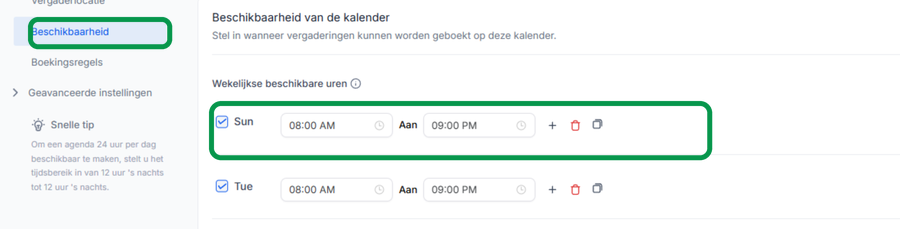
Click the Availability tab in the calendar. Set the hours per weekday during which appointments can be booked.
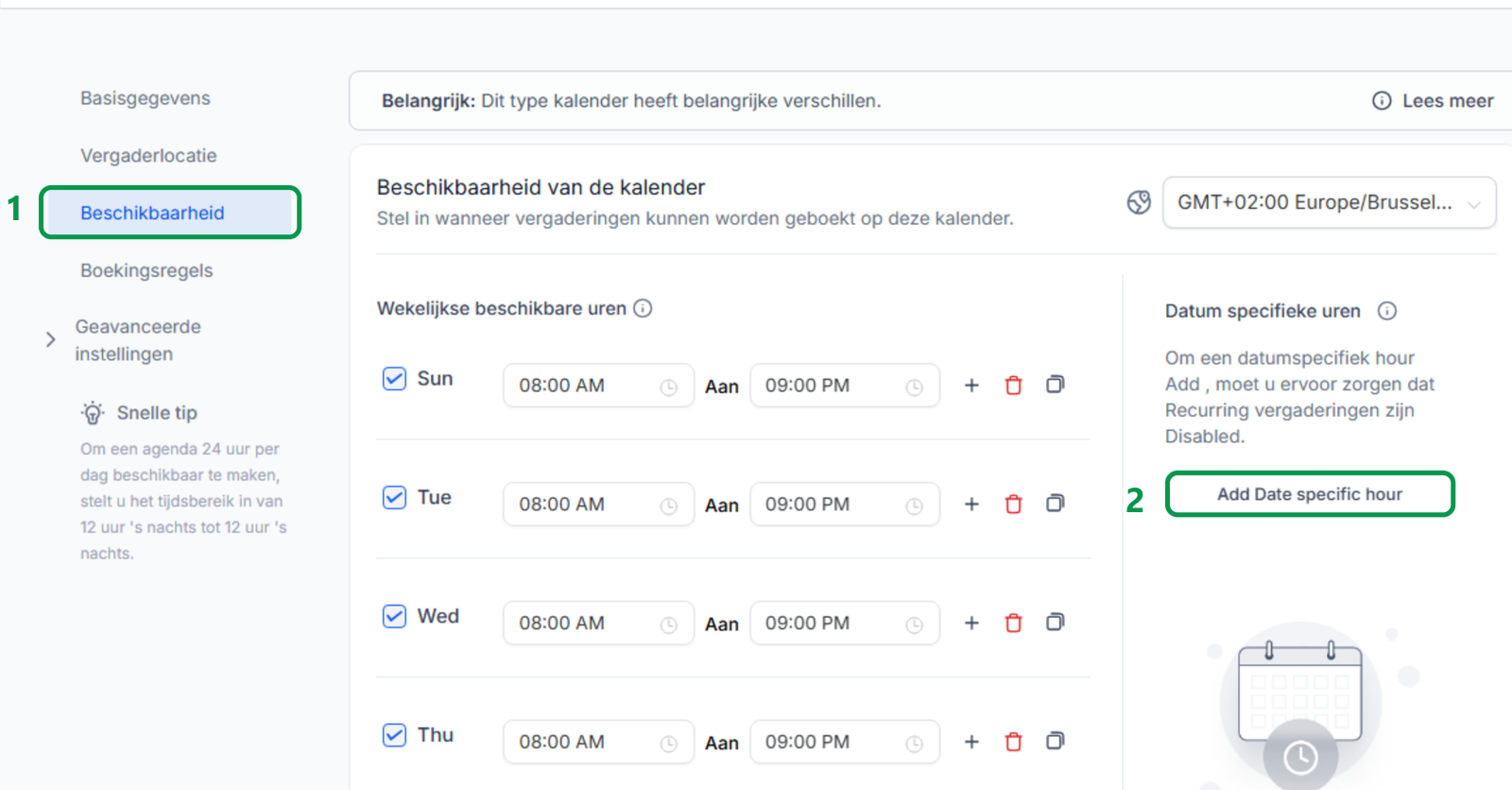
Use Date-specific hours for exceptions such as holidays, leave, extra opening hours, or temporary closures.
Step 3 - Check Booking Rules
Open Booking rules. The Date Scopes field is the booking window: the number of days ahead for which the calendar may show time slots. If this is too low, the agent will not see times outside that period.
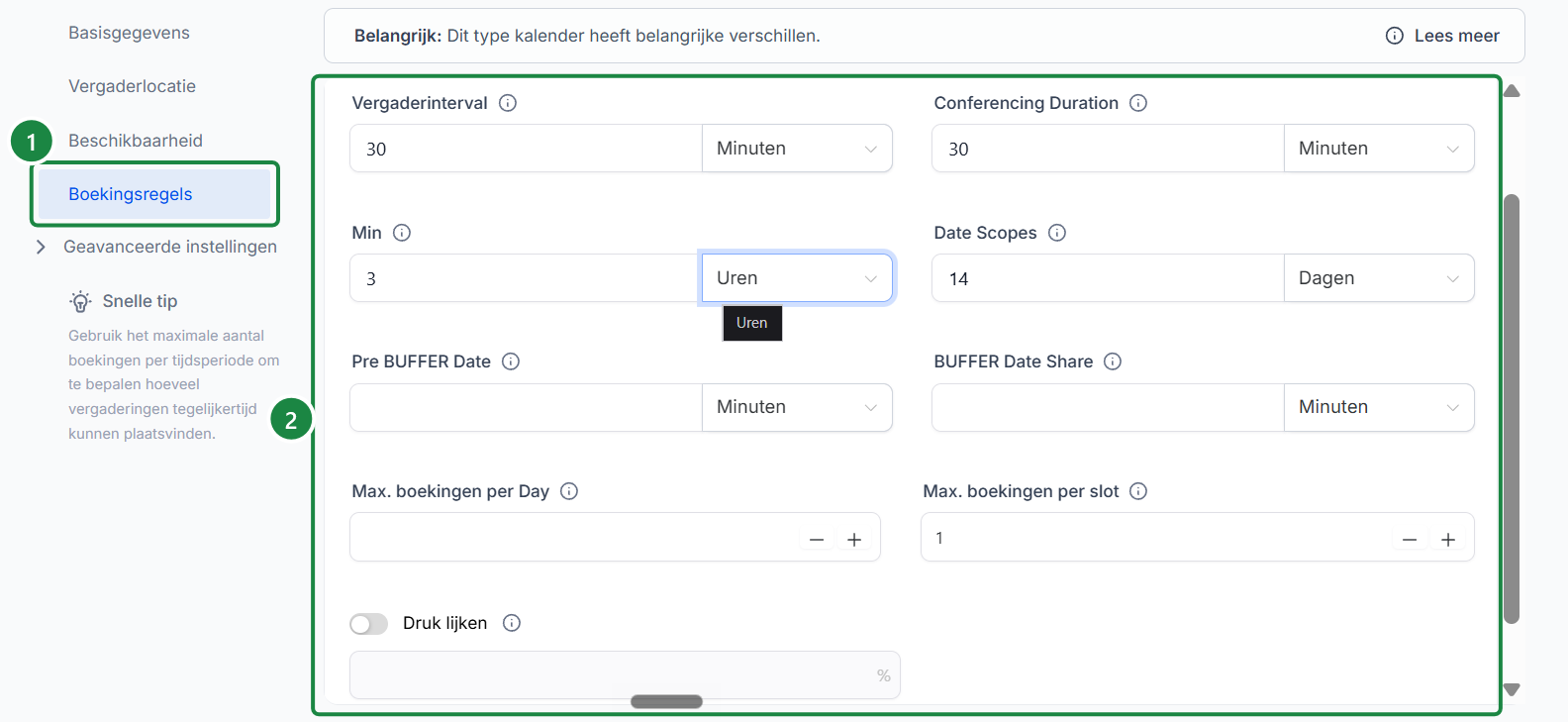
- Meeting interval: set this to at least 30 minutes. Less than 30 minutes can cause problems for the agent when booking appointments correctly.
- Min: determines how close to the appointment someone may still book. A high minimum hides near-term time slots.
- Date Scopes: determines how many days ahead the calendar may show time slots.
- Buffers: block time before or after an appointment so appointments are not too close together.
- Max. bookings per day / per slot: limit how many appointments can be booked on one day or at the same time.
- Seem busy: deliberately hides a percentage of available time slots.
Step 4 - Save the change
Click at the top right Save changes. Then test the booking flow or ask the agent again for times in the period that previously seemed unavailable.
Common problems
Check Booking rules first and look at the Date Scopes field. That field determines the booking window. If the requested date or period falls outside that window, the agent may not offer times there.
Check Date-specific hours. Once a date-specific setting exists, it overrides the regular weekly hours for that date.
Possible causes are Google Calendar conflicts, blocked-off time, buffers, minimum pre-booking, max. bookings per day, max. bookings per slot or Seem busy.
Use a deliberate value that fits your planning. If customers or agents need to book more than a month in advance, set Date Scopes high enough and make sure the calendar is managed correctly that far ahead.
New availability rules mainly determine which new time slots can be booked. Existing agreements will remain in place as normal. Check scheduled appointments separately if your opening hours change drastically.