
Contacts & CRM
Delete contact in Leadgains
Only use this SOP when a contact record should really disappear from Leadgains, for example in the event of an incorrect test contact or an incorrectly created duplicate.
Brief overview
Deleting is not the same as stopping succession. Use Delete not to process an unsubscribe, STOP, DND or regular follow-up.
Should someone no longer receive automatic messages? Then use the appropriate opt-out/DND handling or Remove Follow Up when you just want to stop follow-up.
Step-by-step plan
Step 1 - Open Contacts and select the contact
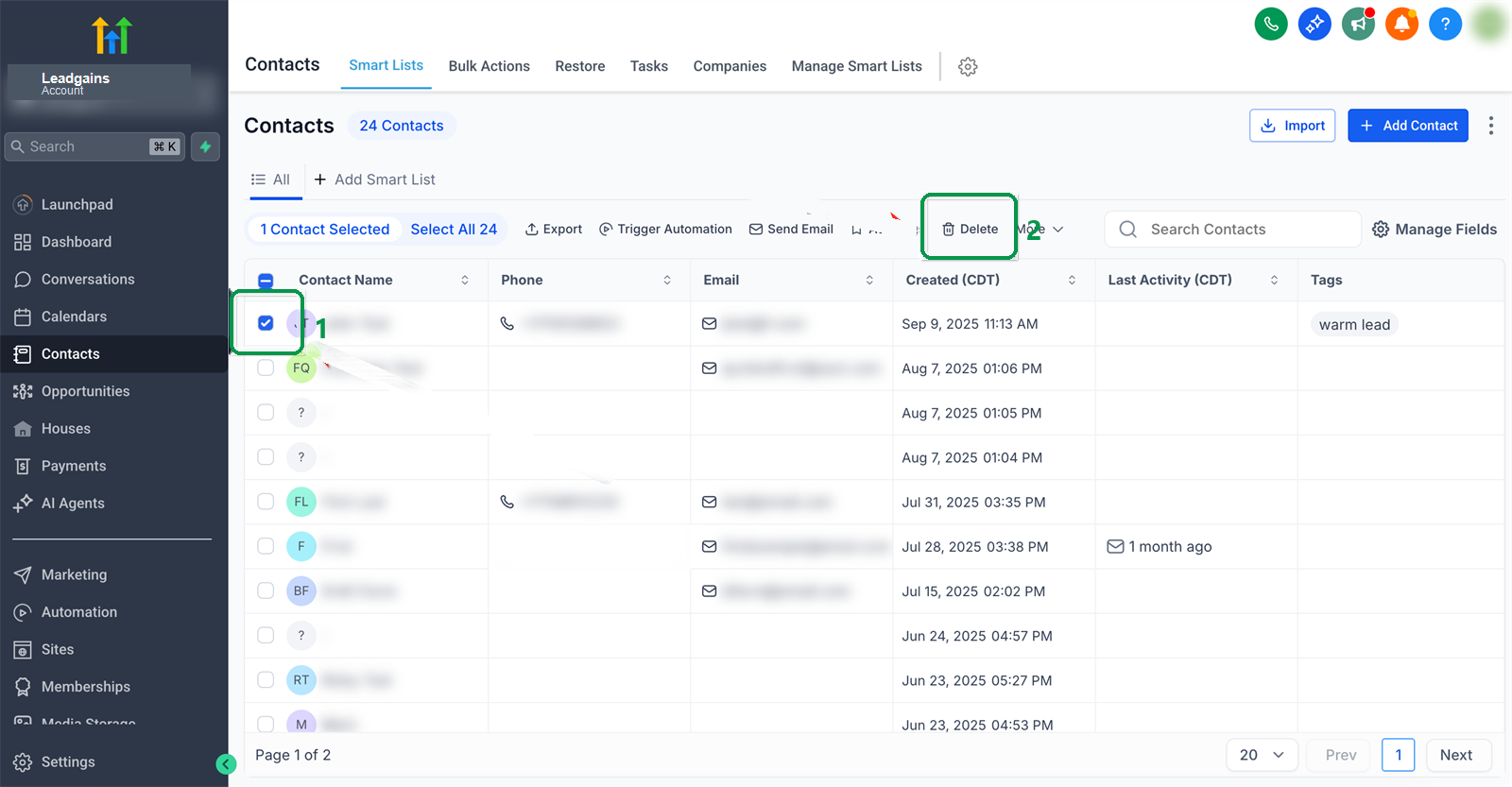
Go to Contacts. Find the correct contact and check the row to the left of the name. Please check name, phone number and email address before proceeding.
Step 2 - Click Delete
Click at the top Delete after the correct contact has been selected. Stop here if you are unsure whether the contact can really be deleted.
Step 3 - Confirm with DELETE
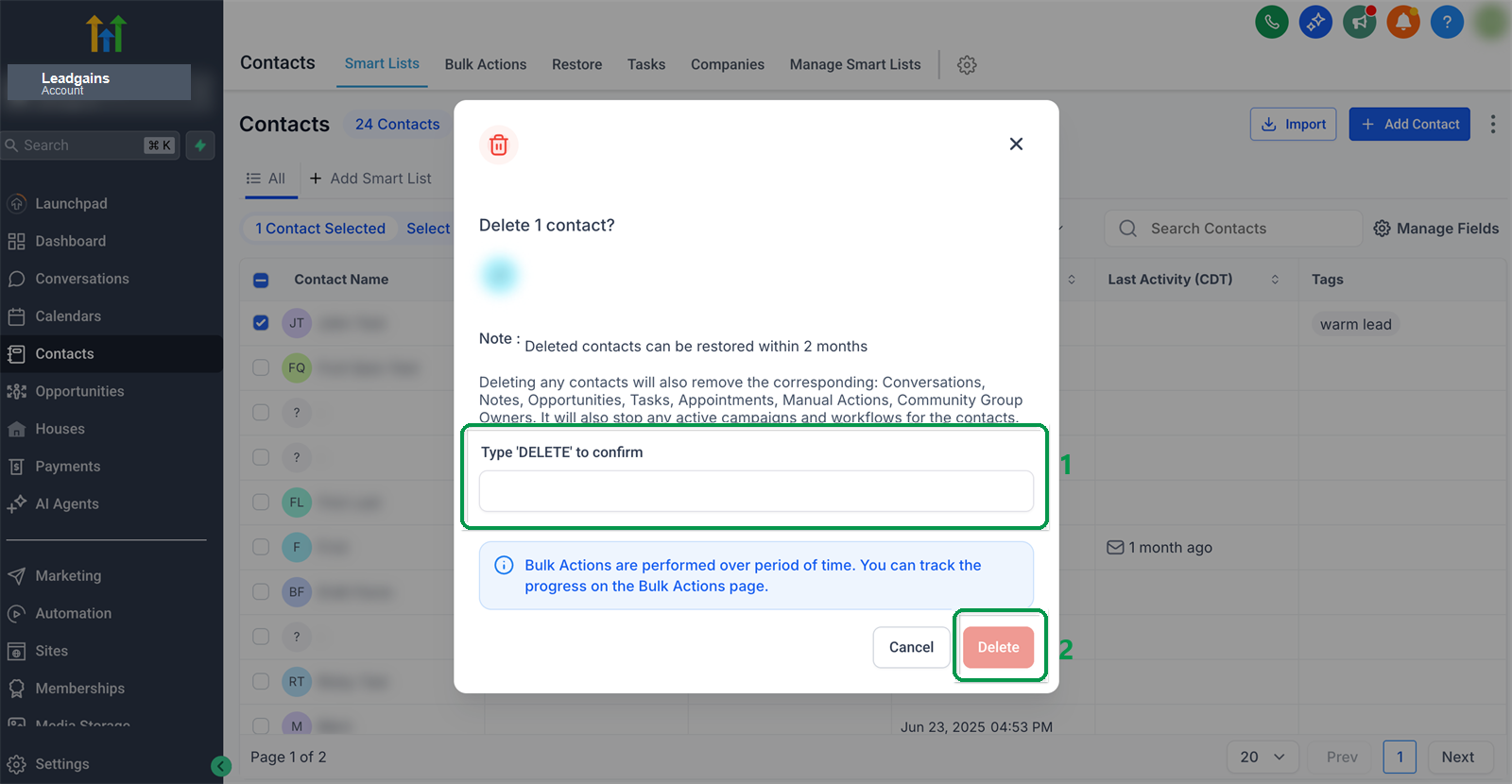
Type DELETE in the confirmation window and click again Delete. The contact is then deleted.
Common problems
No. In the case of a real unsubscription, you leave the contact open and respect DND/opt-out. If you only want to stop follow-up without opting out, use Remove Follow Up.
Check if you're in Contacts whether a contact has really been selected and whether you have sufficient rights. If the button is missing, ask an administrator to check your rights.
Report this internally as soon as possible. Deleted contacts can sometimes be temporarily restored, but always treat deletion as an action with a risk of data loss.
Use the separate SOP for this Create and manage contact in Leadgains.